Product details
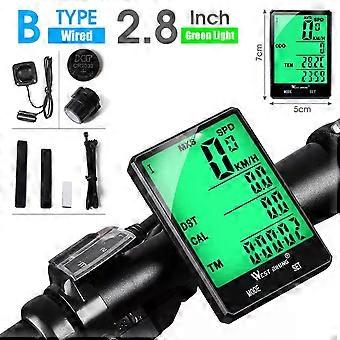
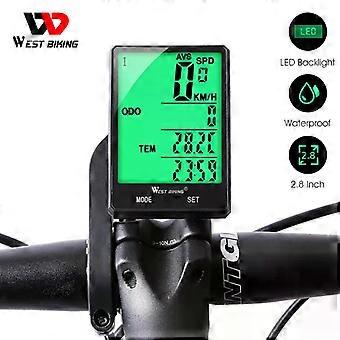
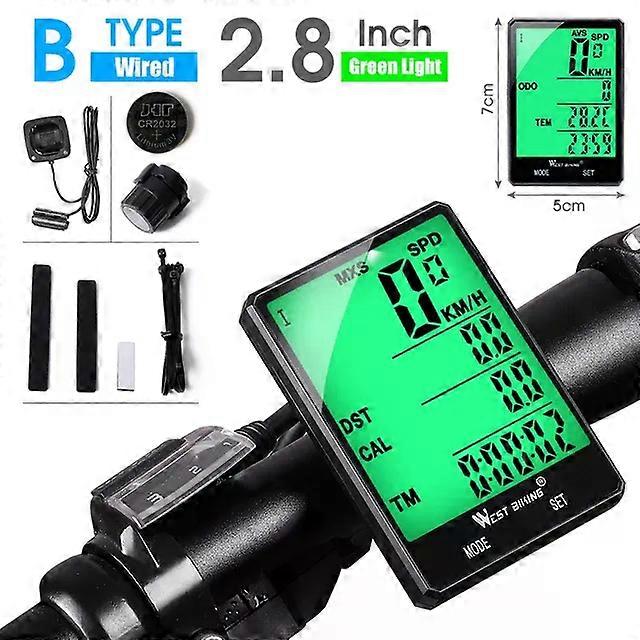
2.8" Large Screen Bicycle Computer Wireless Wired Bike Computer Waterproof Speedometer Odometer Cycling Stopwatch
Multifunctional Bike Wireless Wired Computer
5 Styles Aailable
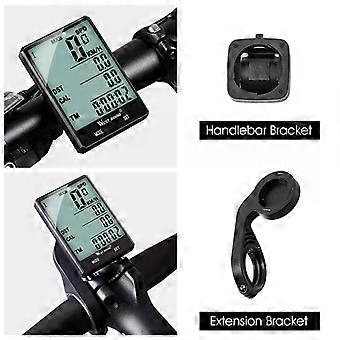
A Extension Wirelss / A Extension Wired / B Handlebar Wireless / B Handlebar Wired / C Extension Wireless Button
User Manual
1.KM/hr/(M/hr) SelectableAfter battery install,Setting KM or M,the default value is km/hour Press the SET bution to select the KM/hr(M/hr)Press the MODE button to confirm and enter into setting tyre circumference and ODO mode.2.Wheel I perimeter setting. the sceeen shows 2060(perimeter is 2060 mm).Setting the flashing number from right to left, press SET bution to change the number and press MODE button to confirm.Method 1: Follow the right Table Wheel spec chart to select the perimeter,press the SET button to change the value, press MODE to confirm,from right to let to set the value.You can also measure it by yourself by the following ways:Method 2.First make a mark on the ground when the nozzle is on the below.Then make the wheels run once the gas nozzle on the below again please mark. And measure the distance between the two marks you can get your wheel perimeter. if the distance is 1615 then you should input 1615.Method 3.Measure the diameter and muttiply 3.14 to get the perimeser.)the result is 1615 mefer,then you should input 1615.3.Weight setting1 The default value is 65 kg.the screen shows K065 and Kfashing.choose Kilogram K or Pound L then setting the value,Press SET button to choose and press MODE button to confirm.2 Press the MODE button to confirm and enter the Bicyecle Maintenance setting mode.4.Bicycle Maintenance setting1 Bicycle l Maintenance setting, the screen shows 0200,setting from right to left.Press SET button to change the flashing number and press MODE button to confirm.2 Bicycle ll Maintenance setting, screen shows 0800, setting from right to left.Press SET button to change the flashing number and press MODE button to confirm.(Tips: From the last setting or last instalil the battery, when the ODO adding value reaches the set value, the board hand symbol will flashing. press the MODE button 3s to cancel )5.ODO,CLOCK and TEM unit Seting (The left button is the mode button, press it to convert mode, and the right button is the setting button)Under ODO-TEM-CLOCK Mode,press SET button ODO flashing,press Set button again TEM flashing,press SET button again CLOCK icon flashing.when ODO flashing,press SET button for 3 seconds to set ODO valve.Press the SET button change the number ,press MODE button to confirm it,set from right to left.when TEM flashing,press SET button for 3 seconds to set the temperature unit.press SET button to change /F,press the mode button to confirm.when CLOCK icon flashing,press SET button for 3 seconds to set ODO valve.Press the SET button change time number ,press MODE button to confirm it,set from right to left.Press SET button to change number,press MODE button to confirm it.6.DST,AVS,MXS,TM,CAL and FAT clear to zeroUnder DST-CAL - TM or DST-FAT- SW mode, press SET button for 5 seconds to clear DST,AVS,MXS, TM,CAL and FAT value to zero.7.Memory functionAl cycling and seting data will be kept ater changing a batery.Bocause of this, the computer haven"'"t cleared to zero before sending to you.8.stop watchUnder DST-FAT- SW mode, press SET buton to start Stop watch press again to pause,then press MODE button to clear to zero.When stop watch is still working you can press MODE butlon it will go to ODO-TEM-CLOCK Mode;when you back to DST-FAT-SW mode you can pause and clear i to zero.it ranges from 0.00.00 to 9.59.59.9.current speedScreen will show current speed only when you are riding.Precision is 0.1KMh.Range at 0-99.9 KMh.Screen shows MXS or AVS wthen you are not niding10.Speed tendencyscreen will show a tendency when you are riding Speed up.it goes high.Speed down , it goes short11.Auto offAfter 300 seccnds no signal inputs the computer, the screen will turn into OFF state with only clock and date display. it will be restart when you press any button.12.Two Bicycle / usingUnder any mode press MODE buton for 6 seconds to change to another bicycle mode.13.Low power indicatorOnce the batlery voltage decreases to 2.5 v,the blank batery icon will be flashing on screen,that reminds you to change a new battery.14.ResettingPress both MODE and SET button for 6 seconds to reset KM/M. wheel perimeter weight/maintenance15.BacklightDuring 17:00-07 :00,sceeen will be llighted up for 4 seconds when you press any key.But if you want the screen always lighting at any time, press both SET and MOOE button for 1 seconds to keep the screen always lighting up.Press SET and MO0E bufton for 1 seconds again to cancel .
-
Fruugo ID:
352443166-767498996
-
EAN:
9346493196624