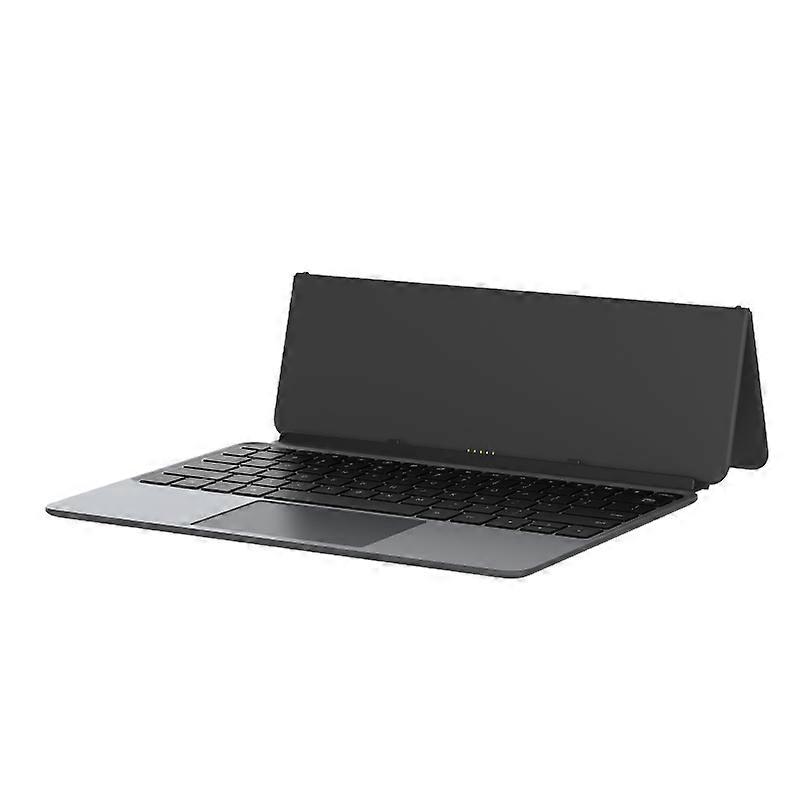
Alldocube Keyboard For Ultra Pad

$149.00
FREE Shipping

Alldocube Keyboard For Ultra Pad

  • Brand: Unbranded

Alldocube Keyboard For Ultra Pad

  • Brand: Unbranded
RRP: $189.00
Price: $149.00
You save: $40.00 (21%)
Sold by:
$149.00
FREE Shipping

In stock

14-Day Returns Policy

Payment methods:

Description

Alldocube Keyboard For Ultra Pad

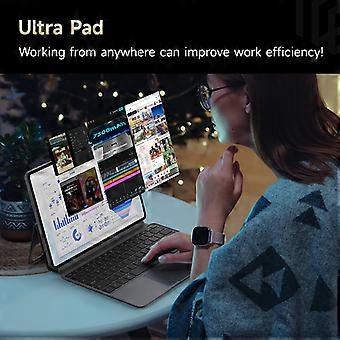
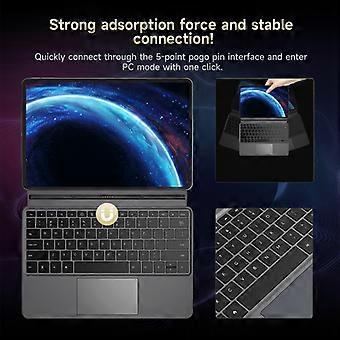
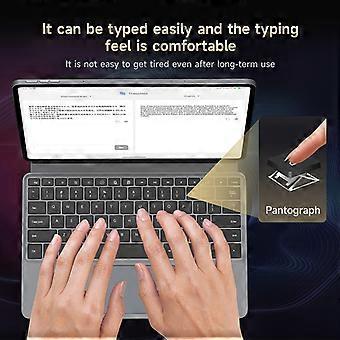
Alldocube Keyboard For Ultra Pad Important Note: If you have any questions, or if there are any problems with the package you received, please contact us through Aliexpress chatting as soon as possible. We have professional customer service staff and technical support, and we will try our best to assist you in solving the problem. Your understanding would be highly appreciated. Note: 1.Only the keyboard is included, not the tablet. 2.This keyboard is only compatible with Ultra Pad. Please purchase it according to your own needs. Keyboard instructions 1. Keyboard OTA upgrade The U1380 official keyboard is ALLDOCUBE/x27;s first keyboard that can be upgraded online via OTA. When the keyboard is pushed for an upgrade, it will automatically pop up a window to prompt that the keyboard is in the process of upgrading after being connected to the tablet. The upgrade takes approximately 1 to 2 minutes to complete. If there is an unsuccessful upgrade, the next time the keyboard is connected, it will remind you to upgrade again. After connecting the keyboard to the tablet, you can check the keyboard version in Settings - System Settings - Keyboard - Keyboard Firmware Version. This function will only be displayed after the keyboard is connected. It is not displayed normally. The current firmware version is 1.05 2. Keyboard language and layout switching Due to the different keyboard language usage habits in each country, it is necessary to make Settings before officially using the keyboard. The Settings are very simple and only require a few steps. 1. Open the tablet Settings APP and find the System Settings option. 2. System Settings > Language > Put the language you want to use first. Iii. System Settings > Keyboard > Physical Keyboard > uart_dock > Multilingual Settings > Select Your language. 4. System Settings > Keyboard > On-Screen Keyboard > Gboard > Language > Select Your Language > Select the keyboard style you want (it is very important to be consistent with the style of your keyboard film) - Go back. 5. Open a dialog box that allows input > Long press the space bar > On the page that pops up, select your language to complete the Settings. 3. Disable/Enable the touchpad function The ⌘/P key combination turns the touchpad function off/on. Pressing this key combination will prompt the tablet 4. The keyboard functions are mainly available in tablet mode. Some key combinations are not available in computer mode.
  • Brand: Unbranded
  • Category: Keyboards
  • Style: Keyboard
  • Fruugo ID: 458026653-965124651
  • EAN: 6942755935319

Delivery & Returns

Dispatched within 3 days

  • STANDARD: FREE - Delivery between Mon. 26 January 2026–Wed. 04 February 2026 - FREE

Shipping from China.

We do our best to ensure that the products that you order are delivered to you in full and according to your specifications. However, should you receive an incomplete order, or items different from the ones you ordered, or there is some other reason why you are not satisfied with the order, you may return the order, or any products included in the order, and receive a full refund for the items. View full return policy

Product Compliance Details

Please see the compliance information specific to this product outlined below.

The following information is provided by the independent third-party retailer selling this product.

Manufacturer
The following information outlines the contact details for the manufacturer of the relevant product sold on Fruugo.

  • Hangzhou Zichi Network Technology Co., Ltd
  • Hangzhou Zichi Network Technology Co., Ltd
  • Room 205, Building 3, No. 1866, Binxing Road
  • Changhe Street, Binjiang District
  • Hangzhou
  • China
  • 310000
  • 18758862577@163.com
  • 15158876167

Responsible Person in the EU
The following information outlines the contact information for the responsible person in the EU. The responsible person is the designated economic operator based in the EU who is responsible for the compliance obligations relating to the relevant product sold into the European Union.

  • Universal International business SARL
  • Universal International business SARL
  • 254 Rue Vendome 69003 Lyon
  • Lyon
  • France
  • 69003
  • Leroy.Holliana@outlook.com
  • 33773332462