Description
Control Gamepad PUBG Bluetooth USB For iPhone Android PC PS4 PS3 Playstation PS 4 3 Nintendo Switch Controller Mobile Game Pad
Model : Ipega 9076
Product Details:
1. The product can be connected and played directly,without any need for additional game platform, complicated setup and activation.
(Android 6.0 or later version, iOS systems 13.3.1 or above).
2.The product is suitable for operating games on Android mobile(tablet)/IOS mobile (tablet)/Android smart TV/P3/P4 console/PC through wireless connection, as well as P3 P4 console/PC computer over a wired connection.
3. It is designed with the buill-in phone holder(extension 85mm).
4. It has ergonomic structure, which is comfortable to hold.
5. The product with 2.4 receiver,can play games by wireless connection with PC/P3/P4. * This product may not be compatiblewith some moble phones due todiferent operating systems (eg, moble phones with MTK platform).
* Some games cannot be played with this product due to extemal factors, such as ofial software upgrades or source code changes in game platfom, for which our company shallnot be held liable. The scope of aplication is subject to our final iterpretation.
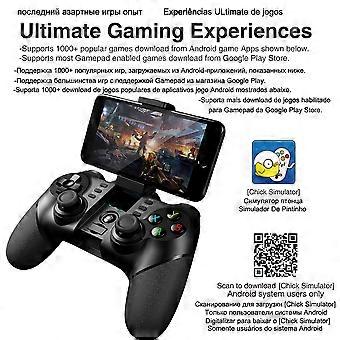
It supports the vast majority of games, such as: Shadow gun/ Modern Warfare 5/ Asphalt/ Contract/ Metal Slug, and emulator games (such as MC4, Wild blood, Dungeon Hunter, Zombie, FC emulator, GBA emulator, arcade emulator, SFC emulator, N64 emulator, Shadow gun, sonic CD, Cory, Soul craft, zenonia4, 9 Innings 2013,Riptide GP, etc.). Or you can scan QR code to download Android Game Center and download games from Android Game.
Frequently Asked Questions:
Q: What if the game is not controlled or confused?
Answer: Turn the handle off and reconnect. Do not touch other buttons during the connection.
Q: Can the mobile phone wireless open cannot search for the handle?
Answer
1. Undo the wireless pairing device before the handle and the phone, and re-open the wireless search pairing of the phone.
2. Use the paper clip to press the reset hole on the back of the handle.
Q: Why doesn"'"t the new handle turn on?
Answer
1. The new handle is generally low in power. Please use the USB cable inside the box to connect the 5V charger, charge the handle fully charged and press the power button to turn it on.
2. If the handle is connected to the power supply (5v), the indicator light is still off. , use a paper clip to press the reset hole on the back of the handle.
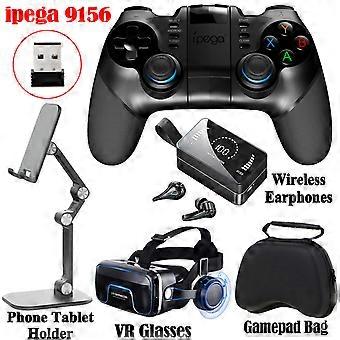
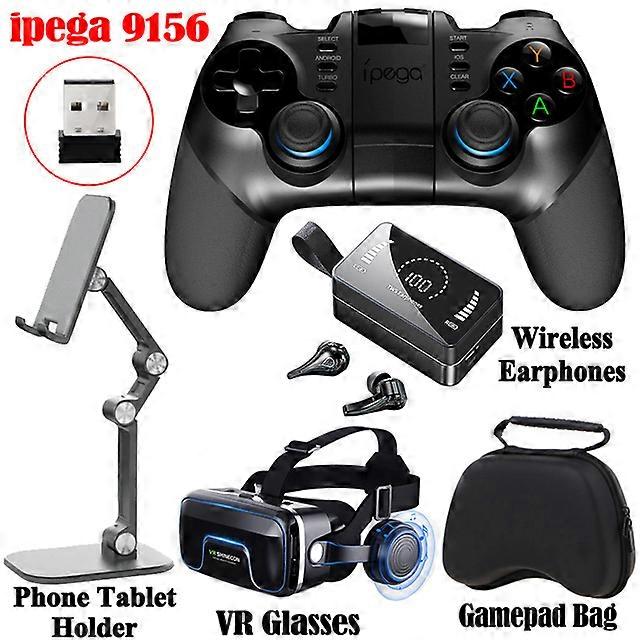
Model : Ipega 9156
The product can be connected and played clirectly, without any need for additional game platform, complicated setup and activation.(Android 6.0 or later version, iOS systems 13.3.1 or later).
The product is suitable for operating games on Android mobile (tablet)/IOS mobile(tablet)/Android smart TV/ Sony PS3/PS4 console/NS console/PC through wireless connection, as well as P3 console/NS console/PC computer over a wired connection.
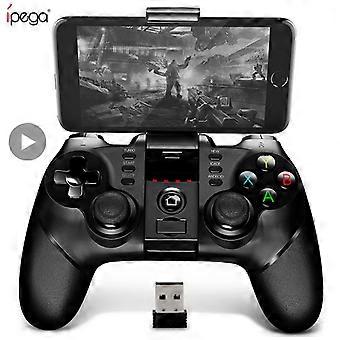
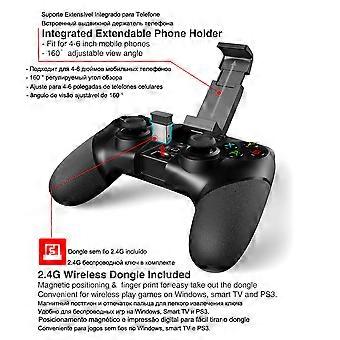
It is designed with the built-in phone holder(extension85mm).
It has ergonomic structure, which is comfortable to hold.
The product with 2.4 receiver,can play games by wireless connection with PC/P3/N"'"S.
Bluetooth 5.0 + 2.4G receiver
Gamepad build-in 2.4G wireless connection, stable connection without delay, 2.4G wireless connection support for TV box/ Controle PC / Sony Playstation 3 / Playstation 4 / Smart TV
Supports multiple devices
The product can be connected and played directly, without any need for additional game platform, complicated setup and activation.(Android 6.0 or later version, iOS systems 13.4 or above, support apple MFI games).
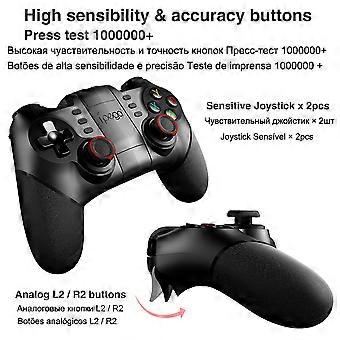
360 joystick
Textural joystick cap, soft hand feeling, anti-skidding
Turbo function
a. There are 8 action buttons(AB/Y/RT/RB/LT/LB), all of which can be manually set to TURBO mode;
b. The TURBO switch can be set manually with any action button.
c. Setting method: Hold down the action buttons, and then press the TURBO button gently to enable the TURBO mode; hold down the action buttons, then tap the CLEAR button to disable the TURBO mode.
d. After the gamepad is hibernated, shut down and restarted, the Turbo mode is automatically disabled before setting. To enable the TURBO mode, reset the product.
Long battery life
Smart with low power consumption Super long standby time, Built-in 350 mAh highly effective lithium battery supports over 10 hours of continuous operation and 30 days of placement with full power.
Foldable Hidden Stand
It has ergonomic structure, which is comfortable to hold.
Deep support for Apple MFi games
In addition to the performance improvements brought by Apple on iOS 13 or above , there are more game subscription services. And Ipega will never fall behind, gamers can now use Ipega PG-9156 joystick to play MFI games. Not only that, as long as it is an MFi certified game, Ipega PG-9156 gamepad also supports it.
Description:
-Bat-man Bluetooth Handle
Set strong performances in bat-man style wireless handle
-Integrated Extendable Phone Holder
Fit for 4-6 inch of mobile phones
160 adjust
-
Fruugo ID:
210463484-448623865
Product Safety Information
Please see the product safety information specific to this product outlined below
The following information is provided by the independent third-party retailer selling this product.
Product Safety Labels

Safety Warnings:
important Safety Instructions Read Before Use: Please read all instructions and safety warnings before using this product. Failure to follow these guidelines may result in injury, damage, or malfunction. General Warnings Intended Use: Use this product only for its intended purpose as described in the user manual. Supervision Required: This product is not intended for use by children or persons with reduced physical, sensory, or mental capabilities without supervision. Inspection Before Use: Check for any signs of damage or wear before use. Do not use if damaged. Usage Precautions Environment: Do not use in wet, damp, or flammable environments unless specified as safe for such conditions. Proper Operation: Follow all operating instructions carefully. Avoid improper handling or misuse. Power Source: Use only the recommended power supply or batteries. Do not exceed specified voltage or current ratings. Maintenance and Care Cleaning: Disconnect from power before cleaning. Use only manufacturer-recommended cleaning methods and solutions. Storage: Store in a cool, dry place away from direct sunlight and extreme temperatures. Repairs: Do not attempt to disassemble or repair the product. Contact authorized service personnel for assistance. Specific Warnings Avoid Hazards: Keep the product away from sharp objects, water, and heat sources. In Case of Malfunction: If the product malfunctions or exhibits unusual behavior, discontinue use immediately and contact customer support. Disposal Instructions Recycling: Dispose of the product in accordance with local electronic waste disposal and recycling guidelines. Battery Disposal: Follow specific regulations for the safe disposal of batteries if included.