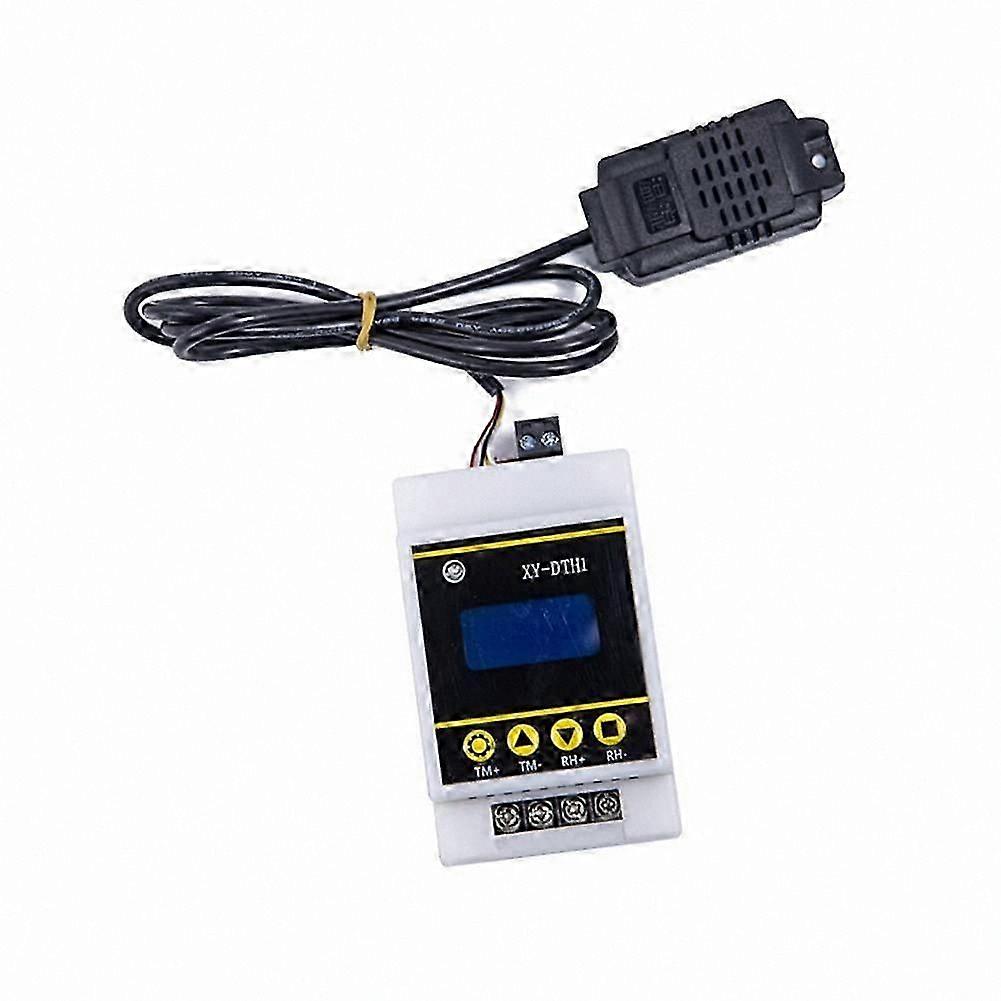
Digital Thermostat with LCD Display, Temperature Humidity Control, Dual Relay Module, Sensor Included

$69.00
+ $24.99 Shipping

Digital Thermostat with LCD Display, Temperature Humidity Control, Dual Relay Module, Sensor Included

  • Brand: Unbranded

Digital Thermostat with LCD Display, Temperature Humidity Control, Dual Relay Module, Sensor Included

  • Brand: Unbranded
RRP: $94.00
Price: $69.00
You save: $25.00 (26%)
Sold by:
$69.00
+ $24.99 Shipping

In stock

14-Day Returns Policy

Payment methods:

Description

Digital Thermostat with LCD Display, Temperature Humidity Control, Dual Relay Module, Sensor Included

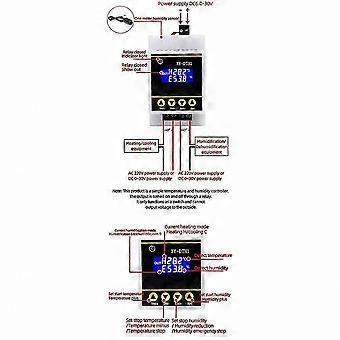
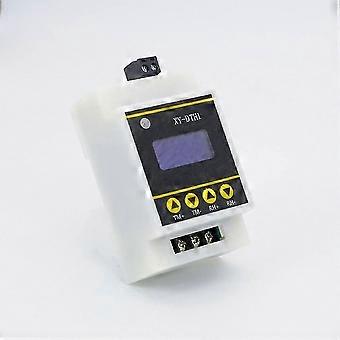
The functions of the product are mainly classified into two categories: temperature function and humidity function. The temperature function includes the following: 1. Automatic working mode identification: The system automatically recognizes the working mode according to the start temperature and stop temperature. If the start temperature is higher than the stop temperature, it enters cooling mode 'C'. If the start temperature is lower than the stop temperature, it enters heating mode 'H'. 2. Cooling mode: When the detected temperature reaches the start temperature, the relay is activated, the indicator light turns red, and the refrigeration equipment starts to operate. When the detected temperature reaches the stop temperature, the relay is deactivated, the red light turns off, and the refrigeration equipment stops. 3. Heating mode: When the detected temperature reaches the start temperature, the relay is activated, the indicator light turns red, and the heating equipment starts to operate. When the detected temperature reaches the stop temperature, the relay is deactivated, the red light turns off, and the heating equipment stops. 4. Temperature correction function (OFE -10.0 ~ 10.0): Over time, the system may experience deviations. Using this function allows for calibration, where actual temperature = measured temperature + calibration value. How to set the start/stop temperature: 1. On the running interface, press and hold the "TM+" button for more than 3 seconds to enter the start temperature setting interface. You can adjust the parameters using the TM+ and TM- buttons. After completing the settings, wait 6 seconds to automatically exit and save. 2. On the running interface, press and hold the "TM-" button for more than 3 seconds to enter the stop temperature setting interface. You can adjust the parameters using the TM+ and TM- buttons. After completing the settings, wait 6 seconds to automatically exit and save. The humidity function includes the following: 1. Automatic working mode identification: The system automatically recognizes the working mode according to the start humidity and stop humidity. If the start humidity is higher than the stop humidity, it enters dehumidification mode 'd'. If the start humidity is lower than the stop humidity, it enters humidification mode 'E'. 2. Dehumidification mode: When the detected humidity reaches the start humidity, the relay is activated, the indicator light turns green, and the dehumidification equipment starts to operate. When the detected humidity reaches the stop humidity, the relay is deactivated, the green light turns off, and the dehumidification equipment stops. 3. Humidification mode: When the detected humidity reaches the start humidity, the relay is activated, the indicator light turns green, and the humidification equipment starts to operate. When the detected humidity reaches the stop humidity, the relay is deactivated, the green light turns off, and the humidification equipment stops. 4. Humidity correction function (RH -10.0 ~ 10.0): Over time, the system may experience deviations. Using this function allows for calibration, where actual humidity = measured humidity + calibration value. How to set the start/stop humidity: 1. On the running interface, press and hold the "RH+" button for more than 3 seconds to enter the start humidity setting interface. You can adjust the parameters using the RH+ and RH- buttons. After completing the settings, wait 6 seconds to automatically exit and save. 2. On the running interface, press and hold the "RH-" button for more than 3 seconds to enter the stop humidity setting interface. You can adjust the parameters using the RH+ and RH- buttons. After completing the settings, wait 6 seconds to automatically exit and save.
  • Fruugo ID: 394390569-842996019
  • EAN: 1091870465296

Product Safety Information

Please see the product safety information specific to this product outlined below

The following information is provided by the independent third-party retailer selling this product.

Product Safety Labels

CE Mark
Safety Warnings: Check the product before use to ensure that the product is not damaged.
Manufacturer Part Number: RK43531
Model Number: RU43531
Serial Number: LK43531
Batch Number: GL43531

Delivery & Returns

Dispatched within 3 days

  • STANDARD: $24.99 - Delivery between Wed. 28 January 2026–Mon. 09 February 2026

Shipping from China.

We do our best to ensure that the products that you order are delivered to you in full and according to your specifications. However, should you receive an incomplete order, or items different from the ones you ordered, or there is some other reason why you are not satisfied with the order, you may return the order, or any products included in the order, and receive a full refund for the items. View full return policy

Product Compliance Details

Please see the compliance information specific to this product outlined below.

The following information is provided by the independent third-party retailer selling this product.

Manufacturer
The following information outlines the contact details for the manufacturer of the relevant product sold on Fruugo.

  • Lin Cong
  • Shantou Naikexiong Trading Co., Ltd.
  • Deming Building, 15th Floor, Room 1503, Yuting Road,Xiajiao Community, Chenghua Street,Chenghai District, Shantou city,Guangdong Province
  • Shantou
  • CN
  • 515800
  • jiaoe817816@163.com
  • 13417087660

Responsible Person in the EU
The following information outlines the contact information for the responsible person in the EU. The responsible person is the designated economic operator based in the EU who is responsible for the compliance obligations relating to the relevant product sold into the European Union.

  • Van Lavazza
  • Y & H S.R.L.
  • Via Gravina 21 MT matera,Trani,Puglia
  • Trani
  • Italy
  • 75100
  • itlyhsrl@gmail.com
  • 0039 3917722149