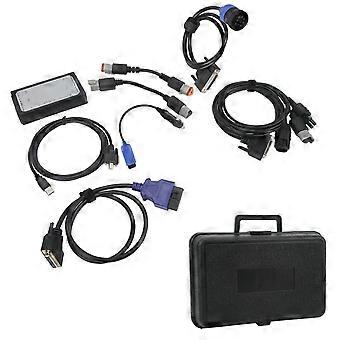
Inline 6 Data Link Adapter Kit Heavy Duty Truck Scanner Diagnostic Tool Replacement for Engine

$349.00
FREE Shipping

Inline 6 Data Link Adapter Kit Heavy Duty Truck Scanner Diagnostic Tool Replacement for Engine

  • Brand: Unbranded

Inline 6 Data Link Adapter Kit Heavy Duty Truck Scanner Diagnostic Tool Replacement for Engine

  • Brand: Unbranded
RRP: $459.00
Price: $349.00
You save: $110.00 (23%)
Sold by:
$349.00
FREE Shipping

In stock

14-Day Returns Policy

We accept the following payment methods

Description

Inline 6 Data Link Adapter Kit Heavy Duty Truck Scanner Diagnostic Tool Replacement for Engine

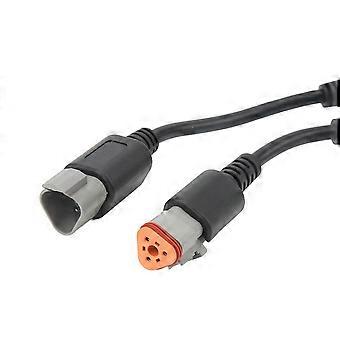
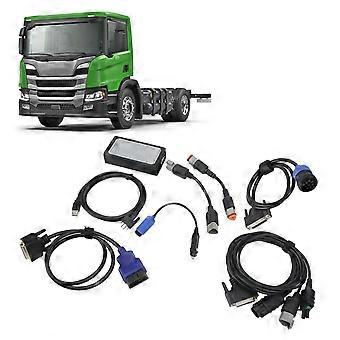
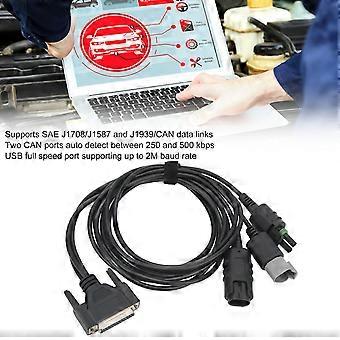
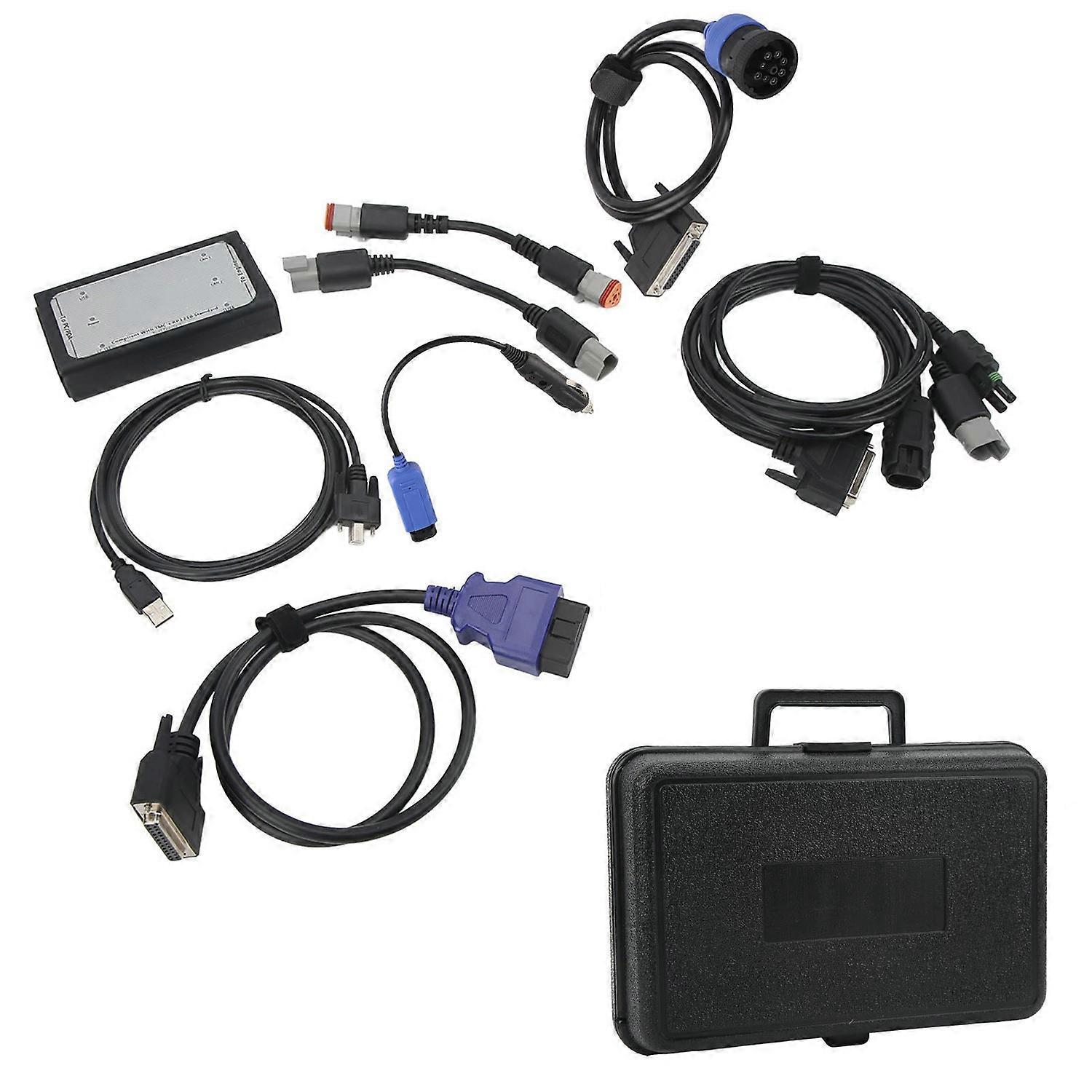
Feature: 1. USB Full Speed Port: INLINE 6 can communicate with your PC via 9pin serial connector. Communication with your PC is also possible via Universal Serial Bus (USB) via a 4pin standard connector. 2. Data Link: The INLINE 6 adapter connects to the vehicle power supply, SAE J1708/J1587 data link, and two CAN/J1939 data links via a 25pin serial connector. 3. RP1210 Standard: INLINE 6 will work for INSITE, for PowerSpec and for Calterm III software applications. Can also be used with any other software application that is fully RP1210 compliant. 4. Easy Use: Each INLINE kit contains a data link adapter, basic cable and INLINE PC software driver. Load the software drivers, connect all the hardware, and you're ready to start a new era of data link adapters. 5. Long Durability: Attractive black powder coated aluminum housing provides sturdiness. Rated operating temperature from ‑40°C to +85°C meets stringent cab environmental testing requirements. Specification: Item Type: Inline 6 Data Link Adapter Kit Material: ABS, Aluminum Features: 1. Supports SAE J1708/J1587 and J1939/CAN data links 2. Both CAN ports auto detect between 250 and 500 kbps 3. Supports USB full speed port at up to 2M baud rate 4. USB cable includes thumbscrews for secure mounting to INLINE 6 5. Supports RS 232 PC serial port at up to 115.2k baud rate 6. Fully compliant with TMC's RP1210 standard 7. Small enough to fit in pocket 8. Attractive black powder coated aluminum housing provides ruggedness 9. Derives 8 V to 50 V DC power from vehicle 10. Controlled by advanced 140 MHz 32bit for Freescale processor for maximum speed and performance 11. Includes 6 LEDs to indicate status of power, USB, RS232, J1708/J1587, and two CAN communication ports 12. Both CAN ports support SAE J1939, SAE J2534, and ISO 15765 protocols 13. INLINE 6 is certified to meet European CE requirements 14. Rated for -40°C to + 85°C operating temperature 15. INLINE 6 meets rigorous in cab environmental test requirements Note: There are 2 software options in the link, the previous software version is V7.62, and now there is the latest software V8.7. V7.62 software included in the CD. Buyers who choose V8.7 software when placing an order, contact us after receiving the goods, you can provide a link, you need to download it yourself V8.7 software does not have a registered machine, you need to return the ID, copy, and send it to us for activation. INLINE 6 Quick Start Guide Introduction: The INLINE 6 is a highly reliable datalink adapter that can be used on a wide range of applications to communicate with vehicle systems via SAE J1708/J1587 and SAE J1939 protocols. Please note that the INLINE 6 is designed to be used with RP1210 compliant software. Minimum System Requirements Microprocessor: For Pentium 500 MHz Memory: 2 GB CD Drive Operating System: For Win 7, For Vista, For XP SP3 To Install the INLINE 6 Software Driver Insert the INLINE 6 driver CD into your computer’s CD ROM drive. Run INLINE6 Driver Setup.exe If for Win folder opens, select INLINE6 Driver Setup.exe Note that on some systems the autorun settings may be set to have the installation to just begin executing upon CD insertion. IF YOU SEE: For Win XP, A message appear stating The software you are installing has not passed for Win…Click Continue Anyway. Click Finish when installation is complete. To Install the INLINE 6 USB Hardware: To install the INLINE 6 USB hardware, power up the INLINE 6 by plugging in the USB cable provided with the kit to the INLINE 6 and the PC. For Win XP: The Found New Hardware wizard should be displayed.On the first screen, select Install the software automatically (Recommended). Click Next to continue. A message may appear This software has not passed Win Testing......Select Continue Anyway. Click Finish when installation is complete. For Win VISTA/ For Win 7: No action is required. The system tray should display a balloon stating Installing Inline 6. NOTE: If there is a previously installed INLINE 6 driver, you may need to remove the older driver before proceeding. After you have connected your INLINE 6 to your computer and the computer recognizes it as a valid device, you may need to update the firmware in the adapter. Please see the section below on using the INLINE 6 Reflash Tool Using Your INLINE 6 To use the INLINE 6, you must select it from within the application you areusing. Each application has a unique method for selecting datalink adapters.Please refer to the application’s documentation for instructions on selectingRP1210 compliant adapters. To Uninstall the INLINE 6 Software Driver For Win XP: To remove the INLINE 6 driver, click the Start button on the task bar, and
  • Fruugo ID: 436430743-914803677
  • EAN: 7409249380189

Delivery & Returns

Dispatched within 2 days

  • STANDARD: FREE - Delivery between Mon. 29 December 2025–Mon. 05 January 2026 - FREE

Shipping from China.

We do our best to ensure that the products that you order are delivered to you in full and according to your specifications. However, should you receive an incomplete order, or items different from the ones you ordered, or there is some other reason why you are not satisfied with the order, you may return the order, or any products included in the order, and receive a full refund for the items. View full return policy

Product Compliance Details

Please see the compliance information specific to this product outlined below.

The following information is provided by the independent third-party retailer selling this product.

Manufacturer
The following information outlines the contact details for the manufacturer of the relevant product sold on Fruugo.

  • Yiwu Ranwen Technology Co., Ltd.
  • Yiwu Ranwen Technology Co., Ltd.
  • Room 702, No. 99, Jinsha Road, Niansanli Street, Yiwu City, Zhejiang Province
  • Yiwu
  • Yiwu
  • Zhejiang
  • CN
  • 518116
  • chaofanchang897@gmail.com
  • 18062524796
  • https://hengruigongju.1688.com/page/index.html?spm=0.0.wp_pc_common_header_companyName_undefined.0

Responsible Person in the EU
The following information outlines the contact information for the responsible person in the EU. The responsible person is the designated economic operator based in the EU who is responsible for the compliance obligations relating to the relevant product sold into the European Union.

  • None
  • Kequ Technology s.r.o.
  • Pražákova 1008/69
  • Štýřice
  • Jihomoravský kraj
  • Brno
  • CZ
  • 63900
  • christopher25106@outlook.com
  • 420608214795
  • https://listado.mercadolibre.com.mx/_CustId_1106248520?item_id=MLM3542491138&category_id=MLM39139&seller_id=1075891016&client=recoview-selleritems&recos_listing=true#origin=pdp&component=sellerData&typeSeller=classic