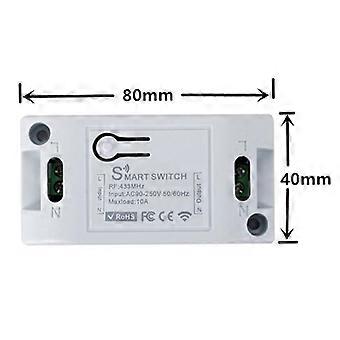
New Smart Switch DIY Wireless Switch Control Smart Home Automation

$13.95
FREE Shipping

New Smart Switch DIY Wireless Switch Control Smart Home Automation

  • Brand: Unbranded

New Smart Switch DIY Wireless Switch Control Smart Home Automation

  • Brand: Unbranded
Price: $13.95
Sold by:
$13.95
FREE Shipping

In stock

14-Day Returns Policy

Payment methods:

Description

New Smart Switch DIY Wireless Switch Control Smart Home Automation

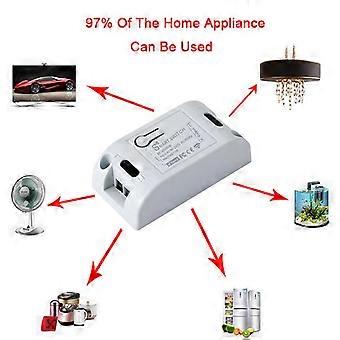
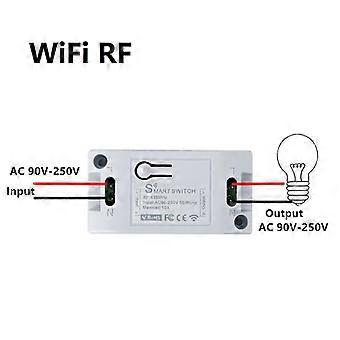
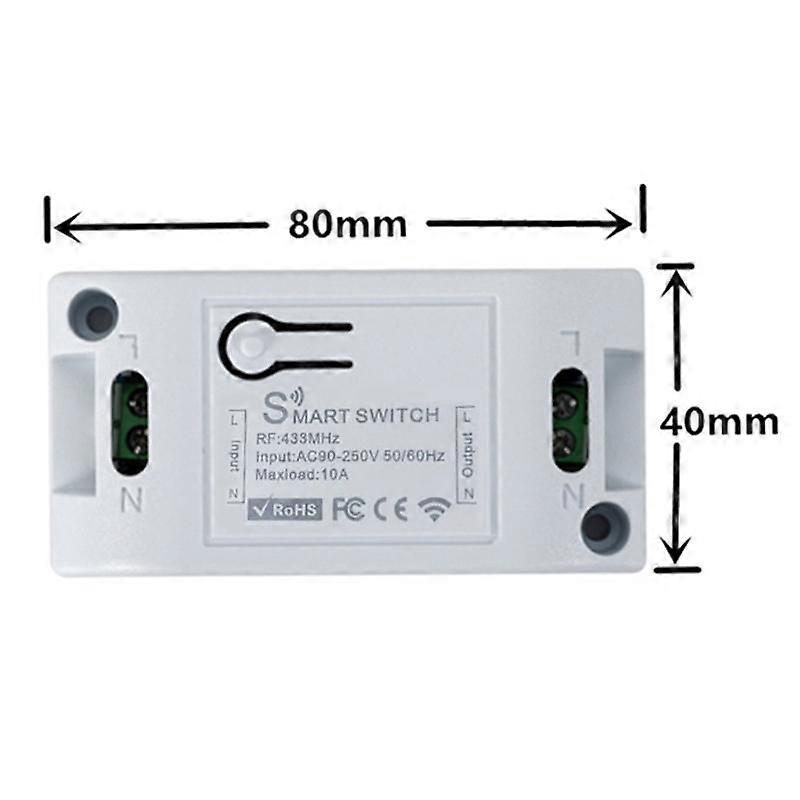
New Smart Switch DIY Wireless Switch Control Smart Home Automation Description: Working voltage: 90—250V Working frequency: 50-60Hz Working temperature: -20—60℃ Total load power: 2000w Specifications: 1. Turn ordinary non-smart appliances or equipment into smart; 2. Group control. The lights can be grouped to achieve unified control (simultaneous switching, timing, etc.) Instructions Self-locking mode pair code description (The same button, press one-time to turn on, then press--down to turn off. This mode is suitable for 1 remote control to control 1 receiver) Setting method: Press the pairing button on the receiver twice, the LED flashes once and then lights up; press the button on the remote control that needs to be paired, when the LED The indicator light will flash 3 times and then turn off, the self-locking mode is successfully set. Interlock Mode Pairing Instructions (settings - one button can only be turned on, another - - a button can only be turned off. Requires a remote control with at least two buttons. This mode is suitable for - - The remote controls multiple receivers. ) Setting method: Press the code pairing button on the receiver 3 times, then the LED flashes once and then lights up; press the button that needs to be set as the open function on the remote control If button A) after the receiver indicator flashes, continue to press the button on the remote control that needs to be set to be off (eg button B) the receiver indicator Blinking, the interlock mode is set successfully. Jog mode code matching instructions (Same key, hold to open, release to close.) Setting method: Press the pairing button on the receiver once, the LED flashes once and then lights up; press the button on the remote control that needs to be paired, when the LED flashes once The indicator light will flash 3 times and then turn off, the self-locking mode is successfully set. reset settings After pressing the receiver's learn button 8 times, the receiver clears all remote control data in its memory. When the receiver's LED blinks 8 times in a row after the reset is completed. If it has been set to the power-on state, it will also be reset to the power-on and power-off state. Power-on setting method (applicable to control lights with manual switch): Factory "default power-on and power-off. Press 6 times to learn on the receiver Press the button, the indicator light flashes 3 times. The power-on and power-on settings are successful. Package Included: Switch Module*1 The merchant warrants that their products comply with all applicable laws, and are offered only if they comply with Joom's policies and EU Product Safety and Compliance laws.
  • Fruugo ID: 450479549-949404721
  • EAN: 4352365716475

Delivery & Returns

Dispatched within 2 days

  • STANDARD: FREE - Delivery between Mon. 12 January 2026–Fri. 16 January 2026 - FREE

Shipping from China.

We do our best to ensure that the products that you order are delivered to you in full and according to your specifications. However, should you receive an incomplete order, or items different from the ones you ordered, or there is some other reason why you are not satisfied with the order, you may return the order, or any products included in the order, and receive a full refund for the items. View full return policy

Product Compliance Details

Please see the compliance information specific to this product outlined below.

The following information is provided by the independent third-party retailer selling this product.

Manufacturer
The following information outlines the contact details for the manufacturer of the relevant product sold on Fruugo.

  • Shanghai Gongjing Trading Co., Ltd.
  • Shanghai Gongjing Trading Co., Ltd.
  • Room 755, Bldg 1, No.22, Lane 121, Songyin Yucai Rd, Tinglin Town, Jinshan Dist., Shanghai 201500, China
  • Jinshan
  • Shanghai
  • CN
  • 201500
  • 1d5_297bq9ue9m@dingtalk.com