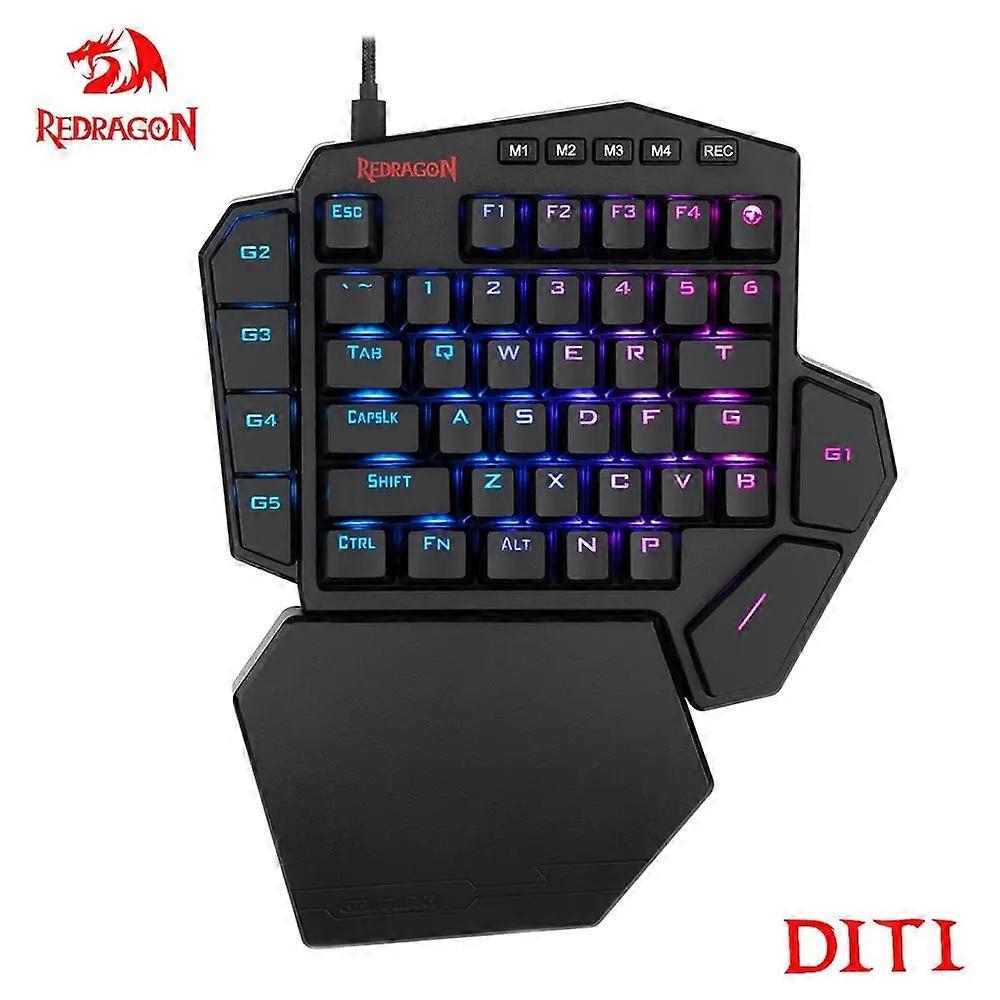
REDRAGON DITI K585 RGB 42 Key One-handed USB Mechanical Gaming Wired Keyboard Blue Switch 42 Keys Gamer for Computer PC Laptop

$199.00
+ $13.49 Shipping

REDRAGON DITI K585 RGB 42 Key One-handed USB Mechanical Gaming Wired Keyboard Blue Switch 42 Keys Gamer for Computer PC Laptop

  • Brand: Unbranded

REDRAGON DITI K585 RGB 42 Key One-handed USB Mechanical Gaming Wired Keyboard Blue Switch 42 Keys Gamer for Computer PC Laptop

  • Brand: Unbranded
RRP: $269.00
Price: $199.00
You save: $70.00 (26%)
Sold by:
$199.00
+ $13.49 Shipping

In stock

14-Day Returns Policy

We accept the following payment methods

Description

REDRAGON DITI K585 RGB 42 Key One-handed USB Mechanical Gaming Wired Keyboard Blue Switch 42 Keys Gamer for Computer PC Laptop

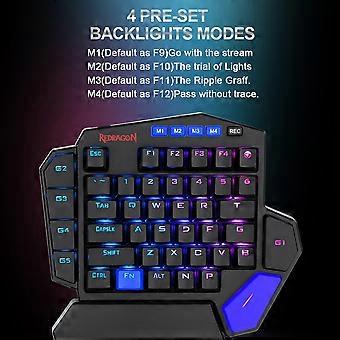
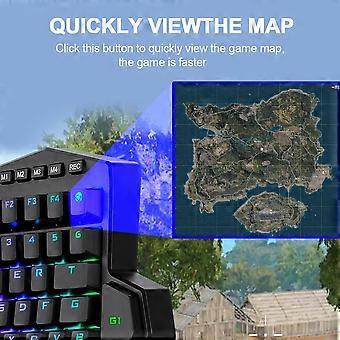
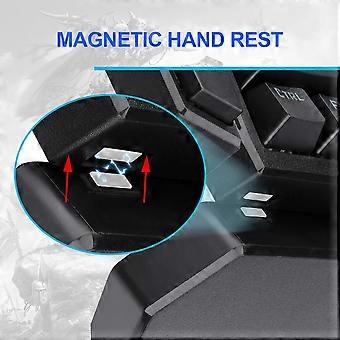
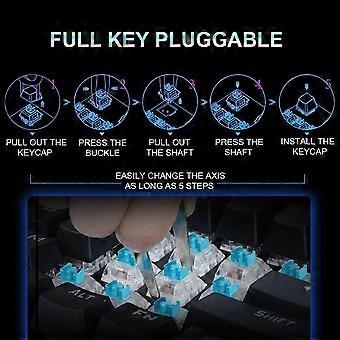
Product description The smart choice of gamers! Redragon K585 DITI one-hand mechanical gaming keyboard One-click settings for complex operations A total of 28 programmable macro keys, simplify your every operation, and bid farewell to the old beat method. Bright backlight lights up the road to victory The 5 selected RGB backlight modes will eliminate the failed blue and encourage you to gather together again and again. Wrist rest parts save the day The ergonomically designed wrist rest part can relieve fatigue and ensure that you can fight for a longer time (even so, care for your eyes and not get lost in the game). Small size, use acme The commonly used 42-key keyboard will bring you a unique competitive experience, with a small use space and can be easily placed on the desktop. specification: USB connector: USB 2.0 Keyboard connection: wired Matrix: 42 keys (full flip) Macro keys: 7 Wristband part: Yes Height adjustable: No Light it Up in Your Way - 5 RGB backlit modes are selectable with 16.8 Million Colors. Glorious & amazing lighting effects let the light of victory wreak havoc in the dark. There are 5 backlighting effects by pre FN+Space: Go with the stream, The trial of Light, Ripple Graff, Flowers blooming, Pa without Trace Play to Win - With 7 programmable macro keys, binding multiple commands and activating them instantly is simple and quick. Aign single or multiple keystrokes to any macro key to save precious time in the middle of battle. FN+ESC: Pre and hold for 3 seconds, back to factory setting 4 Pre-set backlights modes: M1(Default as F9)Go with the stream M2(Default as F10)The trial of Lights M3(Default as F11)The Ripple Graff. M4(Default as F12)Pa without trace. 7 Macro keys for recording: G1-G5(G1-G5 default as F1-F5) M key is Map key in game Slim and Tactile - The K585 keyboard gets rid of those extra keys and keeps the most useful ones in a slim & portable package. All of your keyboard action keys are in one convenient place. No need to worry about misclicked keys. The little-bump tactile feedback with lower noise of OUTEMU Brown Switches allows you to master the rhythm of the battlefield and make you the MVP. Form & Function - Ergonomically designed with a detachable wrist-rest section connected by magnets, the wrist-rest offers great support to make use more comfortable. USB Pa-Through Port - Positioned for uninterrupted game play and ready for your mouse, wirele headset adapter, or other USB device. How to recording by macro keys? Step 1: Pre REC key, get ready for recording Step 2: Select the light modes by pre M1-M4. Step 3: Select the macro key from 7 buttons(G1-G5,".T). step 4: Input the keys to be recorded(7 Macro keys G1, G2, G3, G4, G5,-,T are not available for recording). Step 5: Pre REC to save the recording Noted: Every macro recording need to be coordinate with a light mode while it is recording and play For example: Record 123 on GI at Light mode MI: REC-MI-G1-123-REC. How to play a macro? For example: M1G1 10.How to delete a macro? Pre FN+ESC to delete all macro Packing list: 1 x Redragon K585 mechanical keyboard 1 x Typer-C cable 1 x User Manual 2 x Button folder FAQ 1. If the keyboard doesn't respond, please check if the keyboards USB cable is correctly inserted into the corresponding USB port on the computer, or try another USB port on the computer 2. If you spill liquid on the keyboard, please remove keyboards USB cable from the computer immediately Wipe up exce liquid and put the keyboard in a warm place (for instance, under a lamp) to let the keyboard dry naturally before using again
  • Brand: Unbranded
  • Category: Keyboards
  • Size: Blue Switch
  • Fruugo ID: 260062785-567956202
  • EAN: 9174767488430

Product Safety Information

Please see the product safety information specific to this product outlined below

The following information is provided by the independent third-party retailer selling this product.

Product Safety Labels

CE Mark
Safety Warnings:
  • Keep out of reach of children: to prevent accidental ingestion, misuse or injury.
  • Always follow instructions: to ensure proper use and prevent malfunctions or accidents.
  • CE applies only to electronic products

Delivery & Returns

Dispatched within 24 hours

  • STANDARD: $13.49 - Delivery between Wed. 24 December 2025–Thu. 01 January 2026

Shipping from China.

We do our best to ensure that the products that you order are delivered to you in full and according to your specifications. However, should you receive an incomplete order, or items different from the ones you ordered, or there is some other reason why you are not satisfied with the order, you may return the order, or any products included in the order, and receive a full refund for the items. View full return policy

Product Compliance Details

Please see the compliance information specific to this product outlined below.

The following information is provided by the independent third-party retailer selling this product.

Manufacturer
The following information outlines the contact details for the manufacturer of the relevant product sold on Fruugo.

  • Shenzhen Haoyunlianlian Maoyi Youxiangongsi
  • Shenzhen Haoyunlianlian Maoyi Youxiangongsi
  • Room 27E, Block A, Block B, Xiandaizhichuang, No. 1078, Huaqiang North Road, Fuqiang Community, Huaqiang North Street, Futian District
  • Shenzhen
  • CN
  • 518000
  • 917277199@qq.com
  • 18820202091
  • https://www.fruugo.co.uk/search?merchantId=20529

Responsible Person in the EU
The following information outlines the contact information for the responsible person in the EU. The responsible person is the designated economic operator based in the EU who is responsible for the compliance obligations relating to the relevant product sold into the European Union.

  • E-CrossStu GmbH
  • E-CrossStu GmbH
  • 69 Mainzer Landstrasse
  • Frankfurt am Main, Hessen
  • DE
  • 60329
  • E-CrossStu@web.de
  • +49 69332967674