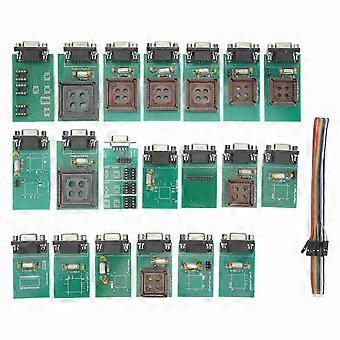
UPA USB V1.3 ECU Programmer Main Board ECU Chip Tunning Tool with Full Adapters Auto Diagnostic Tool

$39.95
FREE Shipping

UPA USB V1.3 ECU Programmer Main Board ECU Chip Tunning Tool with Full Adapters Auto Diagnostic Tool

  • Brand: Unbranded
Sold by:

UPA USB V1.3 ECU Programmer Main Board ECU Chip Tunning Tool with Full Adapters Auto Diagnostic Tool

  • Brand: Unbranded

$39.95

Save $24.05 (37%)

RRP

$64.00
In stock
FREE Shipping

14-Day Returns Policy

Sold by:

$39.95

Save $24.05 (37%)

RRP

$64.00
In stock
FREE Shipping

14-Day Returns Policy

Payment methods:

Description

UPA USB V1.3 ECU Programmer Main Board ECU Chip Tunning Tool with Full Adapters Auto Diagnostic Tool

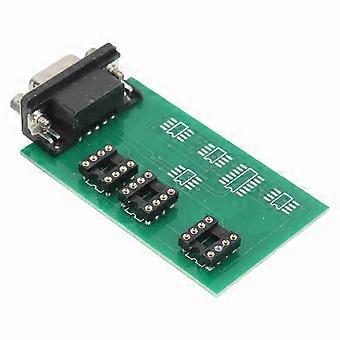
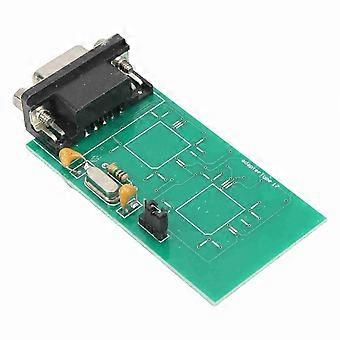
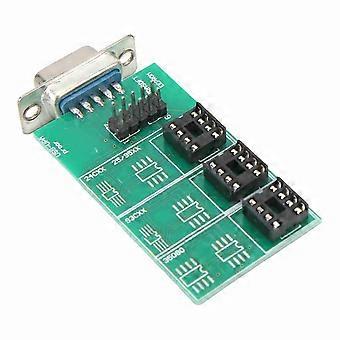
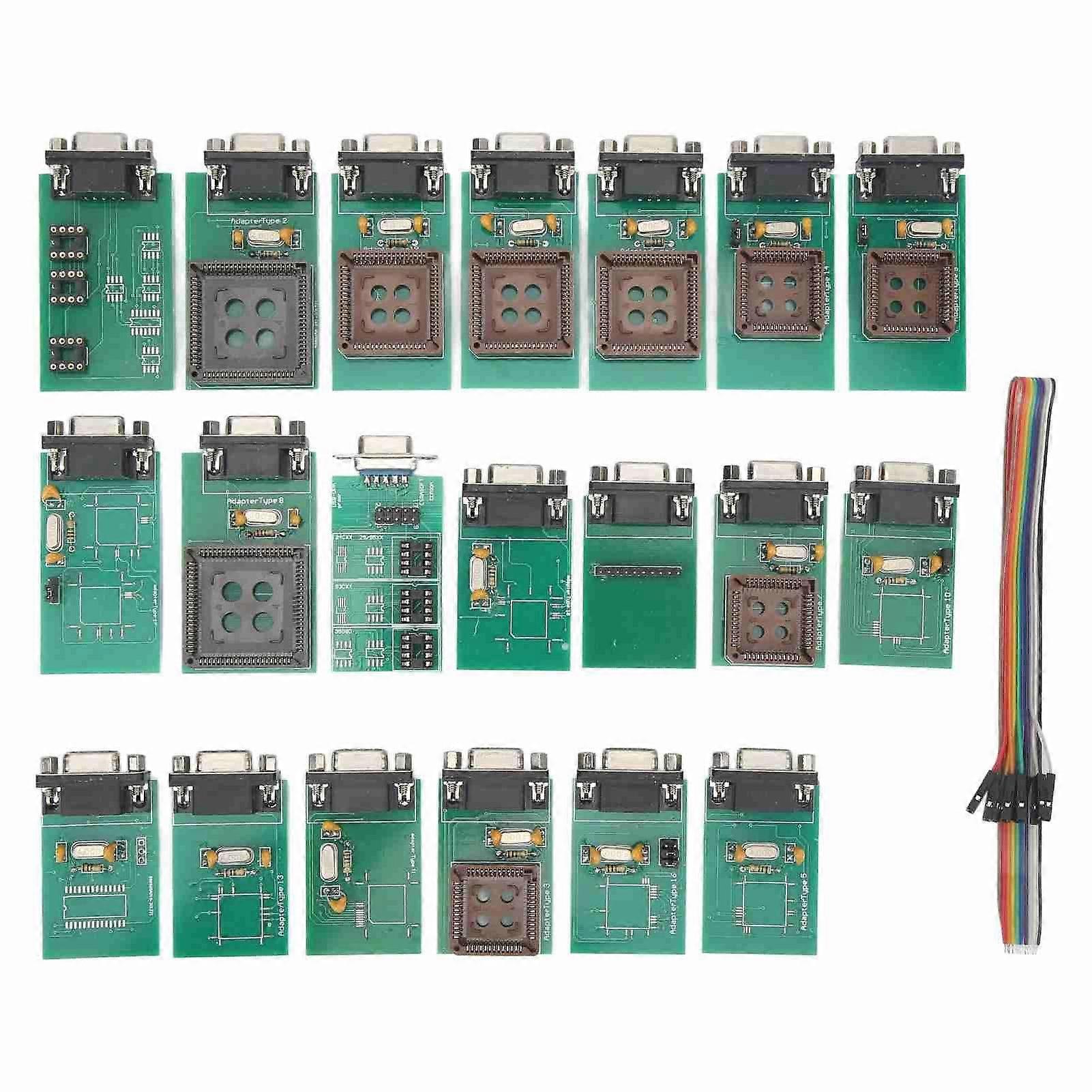
Feature:1. Easy Operation: No soldering, no checking pins, no counting, saving a lot of time and hassle, making your job faster, more accurate, and easier. Once your workshop is equipped with our adapter kits, you'll have a whole new UPA experience.2. Added Serial Flash Memory Support: A25L512/010/020/040/080/016/032, SST25VF512A/010A/020B/040B/080B/016B/032B, S25FL004A/008A/016A/032A/064A.3. Added Script Function: GetPage, AutoBaudRateDevice (hc08 devices only), GetProgrammerFrameChildCtrl( AChildCtrlName: string): TControl, EnablePicMemoryAreas ( AProgram, AID, AConfig, ACalibration, AEEPROM: boolean ): boolean.4. EEproms: Simply connect the mainboard to the UPA programmer directly or by using a DB9 male female extension cable (1:1). Insert the correct config key into the slot of the mainboard and start programming either via the ZIF or SOIC Socket.5. For MCU: Pick the Adapter you want to use, attach the flat cable to the Adapter and also to the main board's 10pin ISP connector. Select the VCC supply source by the jumper on the mainboard next to the ISP connector. Slide the Adapter over the soldered PLCC MCU on the target PCB.Specification:Item Type: ECU ProgrammerMaterial: ABSUPA USB Device Programmer V1.3 Update Information:Added MC9S12HY64/HA32 supportAdded Serial Flash memory support: A25L512/010/020/040/080/016/032, SST25VF512A/010A/020B/040B/080B/016B/032B, S25FL004A/008A/016A/032A/064AAdded 24C1024, 24C1025 supportAdded Bulk erase data memory to PICs 16F913 7/946, 12F629/675Added script function GetPageAdded script function AutoBaudRateDevice (hc08 devices only)Added script function GetProgrammerFrameChildCtrl( AChildCtrlName: string): TControlAdded script function EnablePicMemoryAreas ( AProgram, AID, AConfig, ACalibration, AEEPROM: boolean ): boolean;Fixed bug with script functions ProgramDevice, ReadDevice ... when used with PICsFixed bug with SetHC08SecurityBytes (SecBytes: string) functionFixed bug with 68hc11 reading if Oscillator is not set to AutoUpdated script example filesThe software is digitally signedUSB driver upausb.sys is digitally signedEEpromsSimply connect the mainboard to the UPA programmer directly or by using a DB9 male female extension cable (1:1). Insert the correct config key into the slot of the mainboard and start programming either via the ZIF or SOIC Socket. You can also use the included DIL to 10pin Flat ribbon header, put it inside the ZIF socket and wire up an SOIC clip or clamps for ISP use from there.For MCUPick the Adapter you want to use, attach the flat cable to the Adapter (PIN1 is always indicated, on both the cable and also the Adapter) and also to the main board's 10pin ISP connector. Select the VCC supply source by the jumper on the mainboard next to the ISP connector (on: target supplied from upa, off: target got own supply). Slide the Adapter over the soldered PLCC MCU on the target PCB. (No soldering, no pinout reviewing, no pin counting, saves lots of time and hassle and let's you make your job faster, precise and easier)Once your workshop is equipped with our Adapter Set you will have a all new UPA Experience.For STMicroelectronics ST62:ST6240, ST6245, ST6249NSC CR16: CR16HCS5(9), CR16MCS5(9), CR16MES5(9), CR16MFS5(9), CR16MCT5/9, CR16HCT5/9For MC68HC05B6, MC68HC05B8, MC68HC05B16, MC68HC705B16, MC68HC05B32, MC68HC05E6, MC68HC705E6, MC68HC05H12, MC68HC05L28, MC68HC05P3, MC68HC705P3, MC68HC05X16, MC68HC05X32 For HC08: MC68HC08AS20, MC68HC08AS32, MC68HC08AS60, MC68HC08AZ32, MC68HC(9)08AZ32A, MC68HC908AZ60, MC68HC908AZ60AFor HC11: MC68HC11A1, MC68HC11A8, MC68HC11E9, MC68HC11EA9, MC68HC11E20, MC68HC11F1, MC68HC11K4, MC68HC11KA2, MC68HC11KA4, MC68HC11KG4, MC68HC11KS2, MC68HC11KS8, MC68HC11L6, MC68HC11P2, MC68HC11PA8, MC68HC11PH8 For HC12: MC68HC912B32, MC68HC912BE32, MC68HC912D60, MC68HC912D60A, MC68HC912DC128A, MC68HC912DG128, MC68HC912DG128A For HCS12: MC9S12D64, MC9S12A128, MC9S12DG128, MC9S12DG256, MC9S12H128, MC9S12H256For Atmel 8051 Architecture: AT89S51, AT89S52, AT89S53, AT89S8252, AT89S8253For Atmel AVR 8 Bit Risk: AT90S1200, AT90S2313, AT90S2323, AT90S2333, AT90S2343, AT90S4433, AT90S4434, AT90S8515, AT90S8535, ATmega8, ATmega16, ATmega161, ATmega162, ATmega163, ATmega323, ATmega64, ATmega103, ATmega128, ATtiny12, ATtiny15, ATtiny2313 Microchip PIC12: PIC12F508, PIC12F509, PIC12F629, PIC12F675 Microchip PIC16: PIC16F627(A), PIC16F628(A), PIC16F648A, PIC16F72, PIC16F73, PIC16F74, PIC16F76, PIC16F77, PIC16F818, PIC16F819, PIC16F83, PIC16F84(A), PIC16F870, PIC16F871, PIC16F872, PIC16F873(A), PIC16F874(A), PIC16F876(A), PIC16F877(A) EEPROMs I2C: 24C01, 24C02, 24C04, 24C08, 24C16, 24C32, 24C64, 24C65, 24C128, 24C256, 24C512, 85C72, 85C82, 85C92, BAW574252, GRM 003, GRM 004, GRM 005, KKZ 06F, MCM2814, PCA8581, PCF8581, PCF8582, PCF8594, PCF8598, PCF85102, PCF85116, SDA2516, SDA2526, SDA2546, X24C00, X24C01EEPROMs Microwire: 7002, 93C06, 93C14, 93C46, 93C56, 93C57, 93C66, 93C76, 93C86, 93S46, 93S56, 93S66, GRN 001, GRO 002, KKZ 01, S220, S2914, ST61907, X
  • Fruugo ID: 426739603-895891571
  • EAN: 7708428606240

Product Safety Information

Please see the product safety information specific to this product outlined below

The following information is provided by the independent third-party retailer selling this product.

Product Safety Labels

CE Mark
Safety Warnings: Warning: Please read the product instructions carefully before use to ensure correct use.
Serial Number: 7708428606240

Delivery & Returns

Dispatched within 2 days

  • STANDARD: FREE - Delivery between Mon. 09 February 2026–Fri. 13 February 2026 - FREE

Shipping from China.

We do our best to ensure that the products that you order are delivered to you in full and according to your specifications. However, should you receive an incomplete order, or items different from the ones you ordered, or there is some other reason why you are not satisfied with the order, you may return the order, or any products included in the order, and receive a full refund for the items. View full return policy

Product Compliance Details

Please see the compliance information specific to this product outlined below.

The following information is provided by the independent third-party retailer selling this product.

Manufacturer
The following information outlines the contact details for the manufacturer of the relevant product sold on Fruugo.

  • Shenzhen Mutalai Technology Co., Ltd.
  • Shenzhen Mutalai Technology Co., Ltd.
  • 71001-187, 7/F, Building D, Gaoke Mansion, No. 2076 Yuanyuan Avenue
  • Nanshan Street
  • Nanshan District
  • Shenzhen
  • CN
  • 518000
  • gbyhynnygt@126.com
  • 18664978705
  • https://detail.1688.com/offer/593788918206.html?spm=a2615.7691456.autotrace-offerGeneral.7.4cc915345wLsDx

Responsible Person in the EU
The following information outlines the contact information for the responsible person in the EU. The responsible person is the designated economic operator based in the EU who is responsible for the compliance obligations relating to the relevant product sold into the European Union.

  • None
  • Kequ Technology s.r.o.
  • Pražákova 1008/69
  • Štýřice
  • Jihomoravský kraj
  • Brno
  • CZ
  • 63900
  • christopher25106@outlook.com
  • 420608214795
  • https://www.noon.com/uae-en/p-29378/